
.png?width=48&height=48&name=Group%201%20(3).png)
























1 April, 2026

Screen Time Limits for Kids: A Parent's Essential Guide
Key Highlights
- Setting clear screen time limits and establishing healthy boundaries for digital devices is crucial for your child's development.
- Excessive screen use can lead to sleep disturbances and other health issues, making it important to monitor and manage.
- The American Academy of Pediatrics provides age-specific guidelines to help parents determine appropriate screen time.
- Using parental controls and apps can help enforce rules, but modeling healthy habits is just as important.
- Encourage alternative activities, such as physical activity and family time, to replace time spent on screens.
- Consistency is key when enforcing rules around screen use to build healthy habits for the whole family.
Introduction
In today’s digital age, electronic devices are everywhere, and it can be a real challenge for parents to figure out how much screen time is too much for their kids. You might be wondering about the best ways to set screen time limits and help your child build a healthy relationship with technology. Finding the right balance is key. This guide will provide you with practical tips and expert advice on managing your child's screen use, ensuring they can enjoy the benefits of digital media without the negative effects.
Health Guidelines for Screen Time by Age
Expert guidance can help parents manage children’s screen time. The American Academy of Pediatrics (AAP) provides age-based recommendations to support healthy development and set appropriate time limits.
Following these guidelines helps you create family rules and ensures screen use doesn’t disrupt sleep or physical activity. Let’s review the AAP’s specific recommendations by age group and discuss the effects of excessive screen time.
Recommended Daily Screen Time Limits for Different Age Groups
Determining appropriate screen time for your child can be challenging, but clear guidelines exist. For young children, limit exposure to support healthy brain development. As kids grow, focus on balancing media use with other activities.
Set specific and consistent device times—such as only after homework—and use device settings to enforce these limits. These are general recommendations; adjust as needed for your family. While some families may consider going 'cold turkey,' or eliminating screens for a period, experts recommend focusing on balanced screen time limits instead. Gradually reducing screen time and using time limits through device settings can be more effective and sustainable ways to help kids overcome screen addiction. Recommended screen time limits:
Recommended screen time limits:
|
Age Group |
Recommended Screen Time |
|---|---|
|
Under 18 months |
Avoid screens except for video-chatting. |
|
18–24 months |
Only high-quality programming, watched with a parent. |
|
2–5 years |
Up to 1 hour per day of high-quality programs. |
|
6 years and older |
Consistent limits on time and types of media. |
The Effects of Excessive Screen Time on Child Development
Excessive screen time can harm a child’s health and well-being. Blue light from screens disrupts sleep by interfering with melatonin, leading to poor mood, attention, and school performance.
High screen use also encourages inactivity, raising the risk of weight gain and other health issues. Teens who spend more time on screens, especially social media, are more likely to experience anxiety and depression.
Some children may develop screen dependency, becoming irritable without devices and losing interest in other activities. Monitoring your child’s screen habits is essential for their long-term health.
A Beginner’s Guide to Setting Screen Time Limits at Home
Creating healthy screen habits at home doesn't have to be a battle. It's about setting limits and fostering a healthy relationship with technology that benefits the entire family. The first step is to understand your child's current screen time habits and then work together to establish reasonable boundaries that everyone can follow.
By being proactive and consistent, you can guide your children toward a balanced digital life. The following steps will walk you through how to assess habits, set rules, find alternative activities, and use helpful tools to manage screen time effectively.
What You’ll Need to Get Started (Tools, Apps, and Resources to Block Screen Time for Kids)
To manage your child's screen time, use the right tools. Most devices have built-in parental controls for setting time limits and restricting content—these are easy to set up in device settings.
For more features, try third-party parental control apps. These can track usage and block specific apps or websites. Some Wi-Fi routers also let you pause internet access for certain devices, which is helpful during meals or bedtime.
Helpful resources and tools:
- Built-in settings: Apple’s Screen Time and Android’s Digital Wellbeing.
- Parental control apps: Qustodio and Net Nanny offer thorough monitoring.
- Router controls: Many routers (like TP-Link or Eero) include scheduling options.
- Informational sites: Common Sense Media reviews content and offers advice.
Step-by-Step Guide to Enforcing Screen Time Rules
Once you set screen time limits, enforcing them consistently is crucial. Clear, consistent rules help children understand expectations and reduce resistance. Establish healthy boundaries early.
Involve your children by creating a family tech agreement that outlines device use, time limits, and screen-free zones. Kids are more likely to follow rules they helped create.
Tips for enforcing screen time rules:
- Communicate clearly: Ensure everyone understands the rules.
- Be a role model: Follow the same guidelines yourself.
- Use timers: Timers signal when screen time ends and minimize arguments.
- Stay firm but fair: Expect pushback at first; stick to the agreed limits.
Step 1: Assess Your Child’s Current Screen Habits
Before setting new rules, observe your child's screen time habits for a few days. Note how much time they spend on devices and what they do—schoolwork, videos, social media, or games—to understand their patterns.
Watch their behavior when it's time to turn off devices. Irritability, anxiety, or trouble disengaging may signal problematic use. Recognizing these signs is the first step to addressing them.
If your child spends excessive time on screens, shows withdrawal symptoms, or continues despite negative effects like declining grades, it could indicate dependency. Understanding the issue helps you create an effective plan.
Step 2: Set Specific and Consistent Screen Time Boundaries
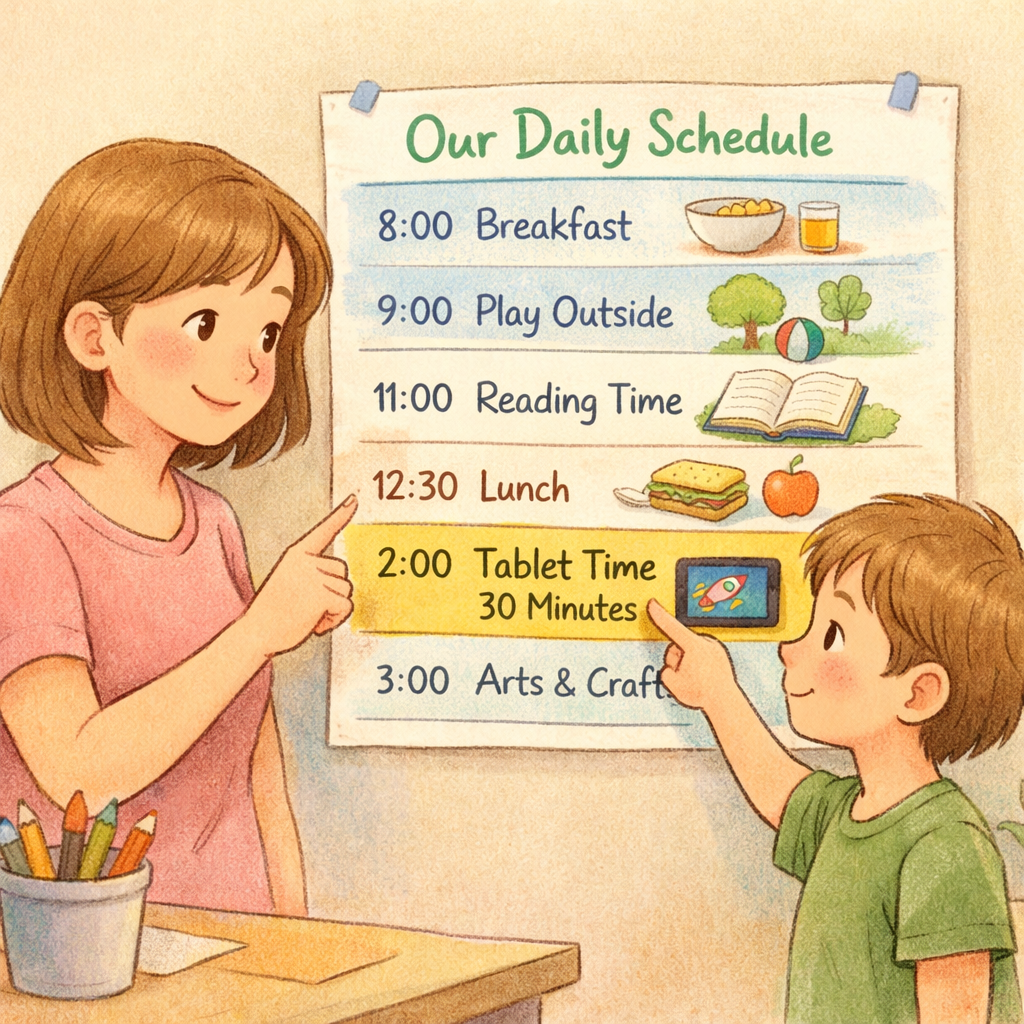
After assessing your child's habits, set clear screen time limits. Avoid vague rules—define specific times and durations, like one hour after school and 30 minutes before dinner. Consistency helps these rules become routine.
Create screen-free zones and times, such as device-free bedrooms and mealtimes for the whole family. This reduces overall screen time and encourages better sleep and more family interaction.
Explain the reasons for these limits so your child understands they support a healthier balance, not punishment. When children know the "why," they're more likely to cooperate.
Step 3: Introduce Alternative Activities to Replace Excess Screen Time
Reducing screen time is easier when your child has engaging alternatives. Replacing screens with fun, rewarding activities helps break screen addiction and boosts mood—especially through physical activity.
Plan family activities that don't involve screens, like board games or bike rides. Encourage your child to explore new hobbies to reduce their reliance on digital entertainment. The goal is to show them there's a world beyond the screen.
Screen-free activity ideas:
- Get active: Take a walk, play basketball, or have a dance party.
- Be creative: Try crafts, read books, or learn an instrument.
- Relax: Practice kids' yoga or listen to music.
- Connect as a family: Plant a garden, cook together, or organize game night.
Step 4: Use Parental Controls and Apps to Block Screen Time for Kids
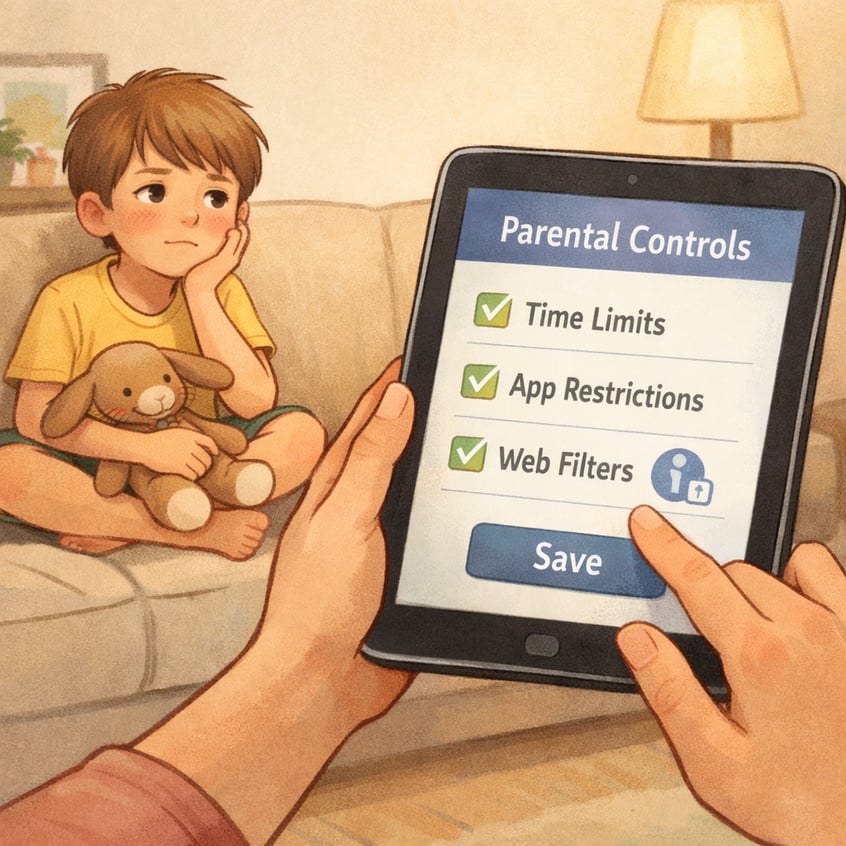
Parental controls and specialized apps help manage screen time effectively. Most smartphones, tablets, and computers let you set daily app limits and automatically lock apps when time is up, reducing the need for constant reminders.
In addition to built-in settings, third-party apps offer more control: filter internet content, block specific apps, track your child's activity, and schedule Wi-Fi access during homework or bedtime.
Here’s how to use these tools:
- Set daily limits: Establish total screen time per day.
- Schedule downtime: Block apps and internet during screen-free periods.
- Filter content: Allow only age-appropriate websites and apps.
- Monitor usage: Check activity reports to see how your child spends time online.
Conclusion
In conclusion, managing screen time for kids is a crucial responsibility that can significantly impact their growth and development. By implementing structured limits and encouraging alternative activities, parents can foster healthier habits that promote well-being. Remember to assess current screen usage, set clear boundaries, and take advantage of tools designed to help manage screen time effectively. Being proactive in this process not only enhances your child's physical and mental health but also strengthens family bonds. If you’re ready to take charge of your child’s screen habits, consider exploring resources or programs available to support you on this journey.
Reach out for a consultation or call daar at 02 9133 2500 for expert guidance tailored to your child’s needs.
Frequently Asked Questions
How can parents tell if their child is addicted to screens?
You can identify signs of screen dependence by observing your child's screen time habits. Look for preoccupation with screen use, withdrawal symptoms like irritability when devices are removed, and a continuation of use despite negative impacts on their mental health or schoolwork. These can be symptoms of an issue like internet gaming disorder.
Are there any risks to going ‘cold turkey’ on screen time for kids?
Suddenly cutting off all screen time can cause significant pushback and distress, potentially affecting your child’s mental health. A gradual approach to setting screen time limits is often more effective. This allows for a smoother adjustment, promotes consistency, and is less disruptive to their routines and overall child development.
What are some effective strategies to gradually reduce screen time?
To gradually reduce screen time, start by setting small, achievable goals. Introduce healthy boundaries by creating a family tech agreement together. Replace screen time with appealing alternative activities like board games or outdoor physical activity. Making the transition fun and collaborative will encourage your child to participate.
Where can parents find resources and programs to help manage kids’ screen use in Australia?
Parents in Australia can find help through various resources. Websites like Common Sense Media offer guidance, while parental control apps and built-in device settings provide practical tools. For personalized advice, consider speaking with your child's pediatrician, who can offer strategies tailored to your family's needs and your child's schoolwork demands.
.svg)




.svg)