
.png?width=48&height=48&name=Group%201%20(3).png)
























2 April, 2026

Screen Time Parental Control: A Parent's Beginner Guide

Key Highlights
- Parental controls are essential tools for promoting online safety and managing your child's device usage.
- You can set screen time limits for daily use or for specific apps on your child’s device.
- Built-in tools like Apple Screen Time and Google Family Link offer robust features for free.
- Parental control apps allow you to block apps and filter inappropriate web content.
- Beyond tools, open communication with your child is key to building healthy digital habits.
- Regularly reviewing settings helps you adapt to your child's growing independence and ensure their continued online safety.
Introduction
In today's digital world, managing your child’s screen time can feel like a big challenge. From games to social media, devices are a huge part of their lives. That's where parental controls come in. These tools can help you guide your child's device usage, protect them from harmful content, and create a healthier balance between their online and offline worlds. This guide will walk you through the basics of screen time parental controls, helping you make informed choices for your family.
Understanding Screen Time Parental Controls
Screen time parental controls are settings or apps that help you monitor and manage how your children use their phones, tablets, and computers. Think of them as digital training wheels, giving you peace of mind while your child learns to navigate the online world safely.
Effective screen time management isn't about constant surveillance; it's about support. By using these tools, you can create a framework that encourages healthy habits on your child’s device from a young age. Let's look closer at what these controls are and why they are so important.
What Are Screen Time Parental Controls?
Parental controls are software tools that let you monitor and limit what your child sees and does online. These features are often built directly into your child's device operating system, like Apple's Screen Time, or available through apps like Google Family Link. They offer a range of functions designed to help you guide your child’s screen time.
With these controls, you can set screen time limits on your child's device usage, either for the day or for specific apps. Many screen time features also allow you to block certain websites, apps, or functions like a device's camera. This helps you prevent access to inappropriate content and manage who your child can communicate with online.
Using these parental control settings is a practical way to keep your child safe online. By filtering content and managing their device usage, you create a safer digital environment. This allows them to explore, learn, and have fun while minimizing exposure to online risks.
Why Screen Time Management Matters for Families in Australia
In Australia, as in many parts of the world, children are spending more time online. Effective screen time management is crucial for their development and mental health. Unstructured online activity can expose kids to risks and affect their sleep, schoolwork, and social skills. Setting boundaries helps create a healthy balance.
One of the most effective tips for limiting screen time is to use the tools available to you. Features like Apple's Family Sharing allow you to manage settings across all your family's devices from one place. This makes it easier to enforce rules consistently. Blocking certain apps or setting daily time limits ensures that screen time doesn't take over.
Ultimately, good screen time management contributes to your family's overall digital wellbeing. It's not about banning technology but about teaching children how to use it responsibly. By actively managing their online activity, you help them build habits that will serve them well as they grow older.
Key Features of Parental Control Apps
When you start exploring parental controls, you'll find that most apps offer a core set of features designed to make management easier. A good parental control app gives you a clear overview of your child’s digital life, helping you set boundaries and keep them safe without looking over their shoulder constantly.
The most valuable key features include usage monitoring, time limits, and content filtering. These tools work together to provide a comprehensive approach to managing your child's online experience. Let's examine some of these specific features more closely.
Monitoring and Reporting Usage
Yes, you can absolutely monitor what apps your child uses with parental controls. Most parental control tools provide detailed reports on your child's app activity, showing you which apps they use most and for how long. This insight into their app usage is invaluable for understanding their digital habits.
These reports break down their device usage into easy-to-read charts and lists. You can see how much time is spent on social media, games, or educational apps. This information helps you start conversations about balancing their time and making smart choices online. Monitoring app activity isn't about spying; it's about staying informed.
You can use these reports to adjust screen time settings and privacy settings as needed. For example, you might notice:
- Excessive time on a particular social media app.
- Downloads of new apps you weren't aware of.
- Usage at late hours, suggesting a need for stricter bedtime settings.
Setting Daily Screen Time Limits
One of the most powerful screen time features is the ability to set daily screen time limits. This function lets you decide how much time your child can spend on their device each day. You can set an overall daily limit for all activity or create specific limits for categories like games or social media.
Setting up these limits is straightforward, especially on an iPhone or iPad using Apple's built-in Screen Time. You can navigate to the Screen Time section in Settings, where you can set limits for your child’s device through Family Sharing. This is a core part of effective screen time management, as it automates the process of enforcing rules.
When you set limits, you can customize them to fit your family's schedule. Common options include:
- A total daily limit for overall device usage.
- Specific time limits for addictive apps like TikTok or YouTube.
- Different rules for weekdays and weekends, allowing for more flexibility.
Blocking or Restricting Specific Apps and Content
When looking for a screen time parental control app, the ability to block apps and filter content is a must-have feature. These tools allow you to prevent your child from accessing apps or websites that you deem inappropriate. This is a direct way to protect them from harmful or explicit content.
Content filtering works by blocking access to websites based on categories like pornography, violence, or gambling. You can also block specific apps entirely, which is useful if you feel your child isn't ready for certain social media platforms or games. This gives you precise control over their digital environment.
Key content restriction features to look for include:
- Web Filtering: The ability to block categories of websites or specific URLs.
- App Blocking: The power to completely block apps from being used.
- Age-Based Restrictions: Automatically filtering content based on your child's age, which can screen for inappropriate content in app stores and media.
How to Choose the Right Parental Control Tools
Choosing the right parental control app depends on your family's needs, your child's age, and the type of device they use. For families with Android devices, Google Family Link is a fantastic free option. For those with iPhones, Apple's built-in Screen Time is often the best place to start.
Beyond these built-in options, many third-party apps offer more advanced features. When making a choice, consider what you want to achieve. Are you focused on time limits, content filtering, or location tracking? Knowing your priorities will help you find the best tool for your child's device.
Essential Features to Look For
When selecting a screen time parental control app, focus on a few essential safety features. App limits are crucial, as they allow you to cap the time your child spends on individual apps. This is more effective than a blanket daily limit, as it targets the most distracting applications.
Another key feature is web filtering. A good system will let you block entire categories of websites to prevent accidental exposure to harmful content. Beyond blocking, some apps also offer location tracking, which can provide peace of mind by letting you know your child's whereabouts. Privacy restrictions are also important, allowing you to manage how apps access personal data on the device.
To ensure you choose a comprehensive tool, look for these specific features:
- App Limits: Control time spent on specific apps or categories.
- Web Filtering: Block inappropriate websites and content.
- Location Tracking: See your child's location in real-time.
Comparing Free and Paid Options
When it comes to the best parental control apps, you have both free and paid choices. Free resources like Apple Screen Time and Google Family Link are powerful and often sufficient for many families. They allow you to set time limits, block apps, and manage purchases from the App Store or Google Play.
Paid parental controls, such as Qustodio, typically offer more advanced features. These can include detailed activity reports, the ability to monitor text messages, and more customizable scheduling options. While free tools let you set limits, paid versions might offer more flexibility, like granting additional screen time as a reward.
Deciding between them depends on your needs. For basic management, free tools are excellent. If you want deeper insights or more granular control, a paid subscription may be worth it.
|
Feature |
Free Options (e.g., Apple Screen Time, Google Family Link) |
Paid Options (e.g., Qustodio) |
|---|---|---|
|
Cost |
Free |
Subscription-based (monthly or yearly) |
|
Time Limits |
Set daily limits and app-specific limits. |
More flexible scheduling and routine-based limits. |
|
Content Filtering |
Basic web and content filtering. |
Advanced filtering by category, with alerts. |
|
Monitoring |
Shows app usage and screen time duration. |
Detailed activity logs, including web/YouTube searches and sometimes texts. |
|
Cross-Platform Support |
Best on their native platforms (iOS or Android). |
Often works across iOS, Android, and desktop devices. |
Ease of Use for Parents and Kids
For parental controls to be effective, they must have good ease of use for both you and your child. Complicated setups and confusing interfaces can make management a chore. Thankfully, built-in tools like Apple Screen Time and Google Family Link are designed to be user-friendly.
To use Apple Screen Time to monitor device usage, you simply enable it through your iPhone's settings and connect your child's device via Family Sharing. From your phone, you can view activity reports, set app limits, and schedule downtime. The interface uses clear charts to show how time is being spent. Similarly, the Google Family Link app provides a straightforward dashboard for managing Android devices.
The best tools are those that are simple to navigate. Look for:
- An intuitive parent dashboard.
- Simple steps to approve requests or adjust settings.
- Clear communication to the child about why a device is locked.
Encouraging Positive Digital Habits at Home
While screen time settings are helpful, they are just one part of the puzzle. True digital wellbeing comes from building positive habits as a family. This means going beyond the technical controls and fostering an environment of open communication and mutual understanding about online safety.
Your goal is to teach your children how to self-regulate their technology use. By establishing clear expectations and encouraging offline activities, you can help them develop a healthy relationship with their devices that will last a lifetime. Let's explore some strategies for creating this positive environment at home.
Creating Family Agreements Around Screen Time
One of the most effective tips for managing screen time is to create family agreements. This involves sitting down with your kids and collaboratively deciding on the rules. When children have a say in the process, they are more likely to understand and respect the boundaries you set.
These agreements should be tailored to your child’s age and maturity. For younger kids, the rules might be simpler, like no devices during meals. For older children, the conversation can be more nuanced, covering topics like social media use and online privacy. The agreement should clearly outline expectations for daily screen time and consequences for not following the rules.
Your family agreement can include:
- Specific times when devices are not allowed, such as during dinner or one hour before bed.
- Rules about which apps and games are appropriate.
- A plan to set limits using screen time features to help enforce the agreement.
Suggesting Offline Activities and Alternatives
Reducing device usage is easier when there are fun offline activities to take its place. Encouraging alternatives is crucial for your child’s mental health and development, especially from a young age. If kids spend too much time staring at screens, they miss out on other important experiences.
You can find many free resources online for activity ideas, but the best ones often come from your child's own interests. Ask them what they'd like to do instead of being online. Is it playing a sport, learning an instrument, or reading a book? Supporting their passions is a great way to naturally reduce screen time.
Here are a few ideas for offline activities:
- Family board game nights.
- Outdoor adventures like hiking, biking, or visiting a park.
- Creative projects such as drawing, building with LEGOs, or writing stories.
Communicating Openly About Online Safety
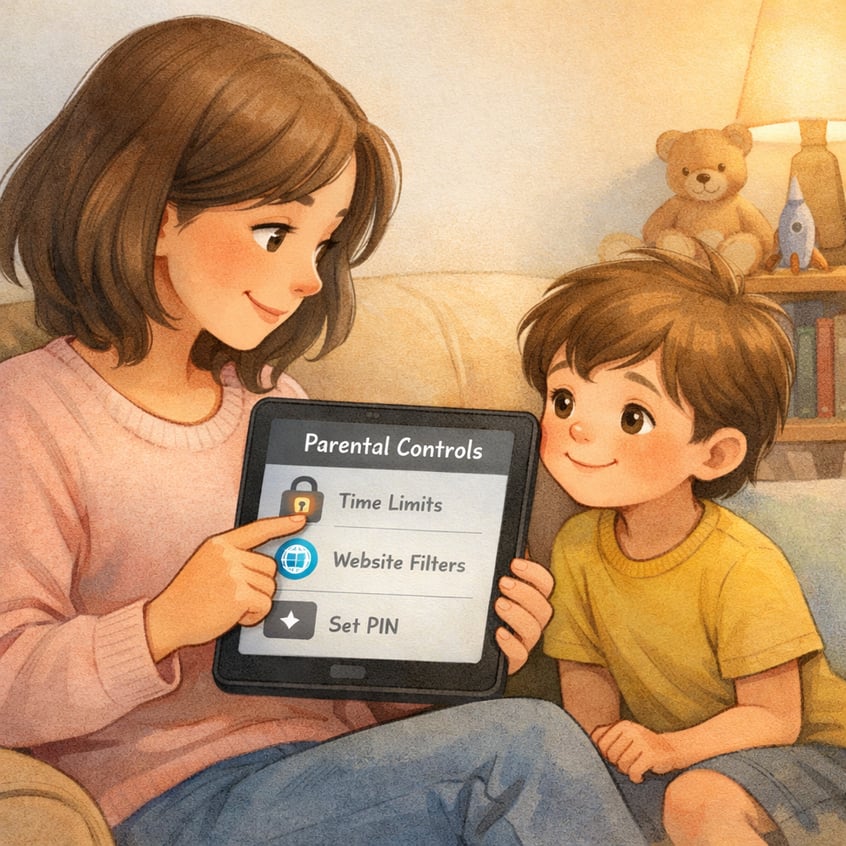
Parental control settings are a great start, but true online safety comes from open communication. Talking regularly with your children about the risks they might encounter online is essential. This includes discussions about harmful content, protecting their personal information, and interacting safely with others.
Create a safe space where your kids feel they can come to you if they see something that makes them uncomfortable, whether it's explicit content or a strange message. Explain why certain rules are in place, so they understand the goal is to protect them, not just to control them. This builds trust and empowers them to make smarter choices.
Key topics to discuss for online and communication safety include:
- Not sharing personal information like their address or phone number.
- What to do if they encounter cyberbullying or hateful content.
- The importance of not clicking on suspicious links or talking to strangers.
Conclusion
In conclusion, managing screen time through parental controls is essential for fostering a healthy digital environment for your family. By understanding the key features of parental control apps and choosing the right tools, you can effectively monitor your children's screen usage and set appropriate limits. Encouraging positive digital habits at home, through family agreements and alternative activities, will further support their overall well-being. Open communication about online safety also plays a crucial role in building trust and understanding between parents and children.
If you're ready to take the next step in ensuring your child's healthy screen habits, get a consultation or call daar at 02 9133 2500.
Frequently Asked Questions
Can I monitor what apps my child is using with parental controls?
Yes, most parental controls allow you to see detailed reports of your child's app usage. These reports show which apps they use, how long they spend on each one, and their overall device usage. This insight into their app activity is a key part of effective screen time management.
What are effective ways to block or limit device usage?
Effective ways to limit device usage include setting a daily screen time limit, using app time limits for specific applications, and scheduling downtime during meals or at night. You can also block apps entirely and use content filtering to restrict access to inappropriate websites, giving you comprehensive control.
Are there free resources for managing kids’ screen time?
Yes, there are excellent free resources available. For Apple devices, the built-in Screen Time feature is very powerful. For an Android device, the Google Family Link app is a comprehensive free tool. Both offer robust screen time features to help you manage your child's device use without any cost.
.svg)




.svg)