
.png?width=48&height=48&name=Group%201%20(3).png)























31 March, 2026

5 Tips to Limit Daily Device Usage for Children

Key Highlights
- Understand the impact of too much screen time on your child's physical and mental health.
- Utilize parental controls on iPhones, iPads, and Android devices to manage your child’s screen time.
- Establish device-free zones and family routines to promote a healthy balance in screen use.
- Learn effective screen time management strategies to set and enforce consistent limits.
- Focus on the quality of content your child engages with, not just the quantity.
- Model healthy digital habits to encourage a balanced approach to screen use at home.
Introduction
In today's digital world, managing your child’s screen time can feel like a constant battle. From online games to social media, screens are everywhere. But how much is too much? Finding a healthy balance is key to ensuring technology benefits your child without causing harm. This guide will walk you through practical strategies, from using screen time settings to creating new family habits, helping you feel more confident in managing your child's digital life and promoting well-being.
Understanding Screen Time and Its Impact on Children
Screen time refers to any time spent in front of a screen, whether it's a TV, computer, or smartphone. While digital devices offer learning opportunities, excessive device usage can negatively affect children. Finding the right balance is crucial for their development.
Concerns often arise about how much screen time impacts young people, with links to both mental health and reduced physical activity. Understanding these effects is the first step toward creating a healthier digital environment for your family. Let's explore what screen time includes and the potential downsides of too much of it.
Definition of Screen Time and Common Devices
Screen time is the total time spent using electronic devices like TVs, computers, smartphones, tablets, and smartwatches. It includes activities such as watching videos, playing games, and browsing online.
All screen-based activities add to your child’s device usage. While some screen time can be educational, recreational use should be monitored. Consider all sources when assessing your child’s daily habits.
National guidelines recommend no screen time for children under 2 years old. Kids aged 2-5 should have no more than one hour per day. For ages 5-17, limit recreational screen time to less than two hours daily, not counting educational use.
Negative Effects of Excessive Device Usage
Excessive screen time can harm children in several ways. It often replaces outdoor play, which is vital for physical development, and leads to sedentary behavior that increases the risk of health problems.
The effects are not just physical. High device usage is linked to anxiety, depression, and difficulty recognizing social cues and emotions.
Specific negative effects include:
- Physical Health: Eye strain, obesity, and high blood pressure from inactivity.
- Mental Health: Teens using screens for over seven hours daily face higher risks of anxiety and depression.
- Focus and Academics: Too much screen time reduces focus and hampers school performance.
Signs Your Child May Be Spending Too Much Time on Screens
Are you wondering if your child's screen use has become excessive screen time? Certain behaviors can signal a problem. For example, if your child consistently chooses screen activities over interacting with family and friends in real life, it might be a red flag.
Another sign is a noticeable change in their mood or behavior, especially when asked to turn off a device. If they become irritable, anxious, or withdrawn when screen time is limited, it could indicate an unhealthy attachment. The amount of time spent is a factor, but their reaction to limits is also very telling.
Look out for these signs that may indicate too much screen time:
- They get less sleep than the recommended amount for their age.
- They don't participate in at least 60 minutes of physical activity daily.
- They neglect schoolwork, hobbies, or face-to-face social connections.
- They struggle to regulate their emotions when asked to stop using a device.
Exploring Parental Controls to Manage Device Usage
Parental controls are powerful tools built into most devices that help you manage your child's device usage. These features allow you to set specific screen time settings, apply privacy restrictions, and limit access to certain apps or content, giving you peace of mind.
Whether your child has an iPhone, iPad, or Android tablet, you can use these built-in screen time features to create a safer and more balanced digital experience. The following sections will show you how to set up and use these controls on your child's device effectively.
Parental Control Features on iPhones and iPads
Apple’s Screen Time provides strong parental controls for iPhones and iPads. Start by setting up Family Sharing, adding your child, and managing their settings from your device in the Settings app.
Once set, tap your child’s name under Screen Time to view activity reports, set daily limits for apps, schedule downtime (like homework or bedtime), and adjust privacy settings.
Key features include:
- Downtime: Schedule when only approved apps and calls are allowed.
- App Limits: Set daily time limits for app categories.
- Content & Privacy Restrictions: Block inappropriate content and in-app purchases.
- Communication Limits: Control who your child can contact via calls, FaceTime, and messages.
Setting Screen Time Limits on Android Tablets
Android devices include "Digital Wellbeing & parental controls" tools to help manage your child's device use. These features let you set daily limits, approve app downloads, and lock the device at bedtime for better digital habits.
By linking your child’s Google Account with yours through the Family Link app, you can view their screen time summary and see which apps they use most. You can then set limits for specific apps or a total daily screen time.
Quick guide to setting limits on Android:
|
Feature |
How to Use It |
|---|---|
|
Daily Limit |
Set maximum device usage hours per day. |
|
Bedtime |
Schedule automatic device lock during bedtime. |
|
App Limits |
Set time limits for individual apps. |
|
Content Restrictions |
Control what your child can access on Google Play. |
Using Built-in Settings for Safe Browsing
Beyond just limiting screen time, it’s essential to keep your child’s internet access safe. iOS and Android devices offer built-in settings to filter inappropriate content, adding an extra layer of protection.
On iPhones or iPads, use Screen Time to restrict web content by blocking adult sites or allowing only approved websites for more control. Ensure all devices are updated so these settings sync properly.
Ways to enable safer browsing:
- Limit Adult Websites: Automatically filters explicit content.
- Allowed Websites Only: Lets you create a custom list of permitted sites.
- Prevent Explicit Language: Blocks Siri and other features from displaying or using explicit language.
Practical Strategies to Limit Daily Screen Time
Effective screen time management goes beyond just using parental controls. It's about building healthy digital habits as a family. This involves creating a plan that balances online and offline activities and encourages open communication about screen use.
Simple changes, like establishing device-free zones and scheduling regular family time, can make a huge difference. By focusing on these practical strategies, you can reduce the total amount of time spent on screens and foster stronger connections in real life. Let’s look at some simple but effective ways to do this.
Creating Device-Free Zones and Family Routines
One effective way to limit screen time is by creating device-free zones at home, such as the dinner table and bedrooms. This encourages family interaction and improves sleep.
Set up a central charging station in a common area, requiring all devices to be charged there overnight. This prevents late-night use and reinforces boundaries around device use. Also, encourage keeping screens at a healthy distance to reduce eye strain.
Try these tips:
- Make mealtimes screen-free for everyone.
- Keep electronic devices out of bedrooms for better sleep.
- Place computers and devices in common areas for easy supervision.
- Schedule family activities without screens, like board games or walks.
Setting and Enforcing Consistent Limits
Consistency is key for managing screen time. Set clear limits and stick to them. Discuss rules with your child so they know what to expect—for example, one hour on school days and a bit more on weekends.
Use device app limits to enforce these rules automatically. Give a "switch-off" warning a few minutes before time is up to help them transition smoothly and avoid arguments. This also teaches self-regulation.
The goal isn't to eliminate screens, but to ensure they don't interfere with schoolwork, physical activity, or sleep. Clear, consistent limits help achieve a healthy balance.
Apps and Tools to Monitor and Track Usage
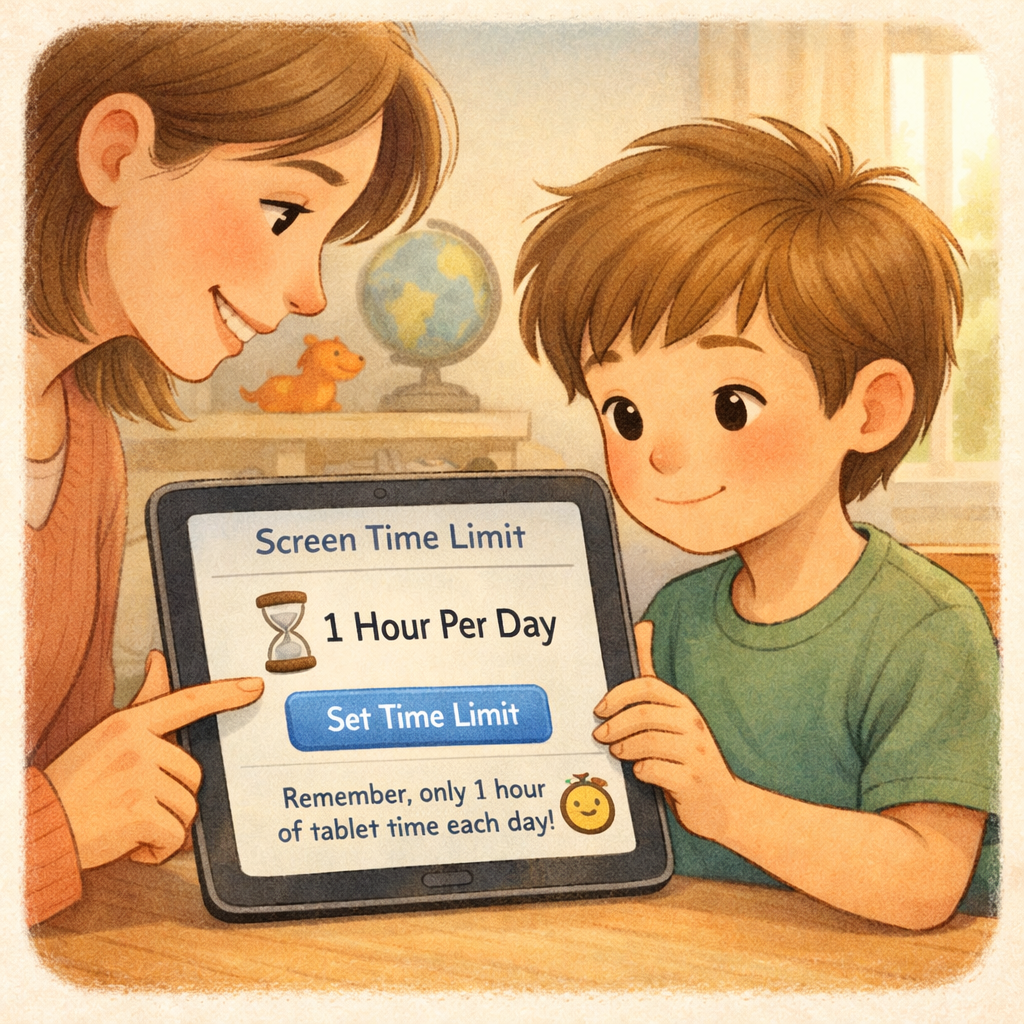
To manage unseen screen time, use tracking tools like Apple’s Screen Time or Android’s Digital Wellbeing. These tools show how much time your child spends on their device, which apps they use most, and how often they pick up their phone.
Reviewing these reports with your child can spark conversations about their digital habits, encourage self-awareness, and help them find a healthy balance. This method focuses on teaching rather than just restricting.
Useful built-in tools for monitoring children’s screen time include:
- Apple Screen Time: Weekly reports and limit settings.
- Android Digital Wellbeing: Usage charts and app timers.
- Google Family Link: Remote activity viewing and app management.
- Third-party apps: Offer advanced tracking and filtering options.
Conclusion
In conclusion, managing children's screen time is vital for their well-being and development. By recognizing the effects of excessive device use and spotting warning signs, you can create a healthier environment. Strategies like device-free zones, consistent limits, and monitoring apps help foster balanced technology use. The goal isn’t to eliminate screen time but to ensure it’s used wisely alongside other activities.
For personalized support, reach out for a consultation or call daar at 02 9133 2500.
Frequently Asked Questions
What Are the Best Apps for Limiting Children’s Screen Time?
The best apps for limiting children’s screen time are often the ones already built into your device. Apple's Screen Time and Google's Family Link offer robust screen time features, including app limits and content filters. These tools are excellent for screen time management and are integrated directly into the operating system.
How Do I Check My Child’s Device Usage Easily?
You can easily check your child's device usage through the built-in screen time management tools. On an iPhone, go to Settings > Screen Time to view the screen time summary. For Android, use the Digital Wellbeing or Google Family Link app to see a detailed report of their screen time and overall device usage.
Can Adults Use These Strategies to Reduce Their Own Screen Time?
Yes, absolutely! The same strategies for screen time management work for adults. Creating device-free zones, setting app limits, and tracking your screen use can help you achieve a healthier balance. Modeling this behavior is also a powerful way to encourage your children to reduce how much media they consume.
.svg)




.svg)