
.png?width=48&height=48&name=Group%201%20(3).png)























30 March, 2026

5 Tips to Limit Tablet Time at Night Effectively

Key Highlights
Here are the key takeaways from this guide:
- The blue light from tablets can disrupt sleep quality by suppressing melatonin.
- Establishing a consistent bedtime routine without screens helps improve sleep.
- Using parental controls is an effective way to manage your child's screen habits.
- Creating tablet-free zones, especially in bedrooms, is crucial for better sleep.
- Experts recommend stopping all screen use at least one hour before bed.
- Communicating openly about healthy screen habits can prevent nighttime tablet use.
Introduction
Is your child struggling to fall asleep at night? The culprit might be their tablet. Late-night screen media habits, especially the light exposure from devices, can make it harder for kids to wind down, leaving them feeling tired the next day. Establishing a solid bedtime routine that limits tablet use is key to fostering better sleep. This guide will walk you through five practical tips to manage your child’s evening screen time, helping them develop healthy sleep habits for life and ensuring they get the rest they need.
Recommended Guidelines for Tablet Use in the Evening
Adequate sleep is essential for your child’s health, and evening screen time can reduce your child’s sleep duration. Experts, including the American Academy of Sleep Medicine, recommend turning off all screens 30–60 minutes before bed to help prepare for rest.
This screen-free period is key to good sleep hygiene. Using devices before bed stimulates the brain and can lead to poor sleep and delays in falling asleep. Following these guidelines can greatly improve your child’s ability to fall and stay asleep.
Expert Recommendations on Nighttime Screen Time
Major health organizations recommend turning off screens at least 30 minutes before your child's bedtime and keeping devices out of the bedroom. Studies show that evening screen use disrupts sleep by delaying onset, increasing daytime sleepiness, and reducing total sleep time. Setting clear rules helps your child disconnect, creating a sleep-friendly routine that supports better rest and overall well-being.
Setting Age-Appropriate Limits for Children
The amount of sleep children need varies by age, so setting appropriate time limits on screen use is essential. For young children, consistent routines are key, while older children may need more open conversations about managing their own time, similar to the insights gained from a systematic review of sleep patterns.
The National Sleep Foundation provides specific recommendations for sleep duration, particularly in early childhood. Applying these to screen time rules can be very effective.
- Preschoolers (3-5 years): Need 10-13 hours of sleep. Screen use should end well before their early bedtime.
- School-aged children (6-13 years): Need 9-11 hours of sleep. A "no screens after dinner" rule can be a simple guideline.
- Teenagers (14-17 years): Need 8-10 hours of sleep. Work with them to set a firm "devices off" time to protect their sleep.
By tailoring these limits to your child's developmental stage, you help them understand the importance of balancing screen time with the sleep their growing bodies and brains require. Consistency is the most important factor in making these rules stick.
Australian Standards for Screen Use After Dark
While many guidelines come from American organizations, Australian experts also provide clear standards for youth screen media use after dark. These recommendations align with global concerns about how evening screen media use can lead to sleep problems in children and teens. Organizations like Common Sense Media often highlight similar findings, emphasizing a united front on this issue.
Australian sleep experts often suggest a multifaceted approach that includes limiting screen time in the 30 to 60 minutes before bed, especially regarding engaging activities like video games. This is part of a broader sleep hygiene program that can yield significant benefits for sleep quality and duration, especially for adolescents who may be struggling with insufficient sleep.
A study assessing a sleep hygiene program in Australia, known as FERRET, instructed adolescents to follow specific rules for better sleep. These rules provide a practical framework for families everywhere.
|
Domain |
Rule Example |
|---|---|
|
Restrict |
No electronic media at least 30 minutes before bed. |
|
Restrict |
No exercise within 3 hours of bedtime. |
|
Restrict |
Bed is only for sleeping, no other activities. |
Tip 1: Establishing a Consistent Evening Routine
One of the most powerful tools for improving your child's sleep health is a consistent evening routine. A predictable set of activities before bed signals to your child's brain that it's time to wind down, which helps with natural melatonin production and improves overall sleep quality.
This bedtime routine should be calming and, most importantly, screen-free. Replacing tablet time with relaxing activities helps your child disconnect from the day's stimulation and prepare for a good night's rest, reducing passive screen time. Let's look at how you can create tablet-free zones and find calming alternatives.
Creating Tablet-Free Zones Before Bed
A simple and effective strategy is to make certain areas of your home, especially the bedroom, tablet-free zones in the evening. The bedroom should be reserved for sleep, as how you use your device can have a greater impact on your rest, and keeping screens out reinforces this purpose.
Having a tablet in the bedroom is linked to later bedtimes, less sleep, and poorer sleep quality. Even just having a device nearby can tempt you and disrupt rest, delaying REM sleep. Removing screens from the bedroom reduces evening light exposure and supports better sleep.
To create tablet-free zones:
- Make the bedroom a strict no-screen area for everyone.
- Set up a central charging station in a common space like the kitchen for all devices overnight.
- Limit screen use to shared spaces like the living room to help monitor and enforce cut-off times.
Designing Calming Activities to Replace Tablets
Once you've limited technology use in the evening, you'll need engaging, calming activities to fill that time. The goal is to replace the stimulating nature of tablets with something that helps your child relax and prepare for better sleep, as reducing stimulation can help lower heart rate. These activities are a vital part of a healthy bedtime routine.
Choosing the right alternatives can support healthy melatonin levels and make the transition to sleep much smoother. Think about activities that are quiet, slow-paced, and enjoyable for your child. It’s about creating a new pre-sleep ritual that they can look forward to.
Here are some ideas for calming, screen-free activities:
- Reading: Read a book together or encourage independent reading.
- Creative Time: Try coloring, drawing, or simple puzzles.
- Quiet Conversation: Use this time to talk about their day in a relaxed setting.
Building Positive Habits Around Sleep Preparation
The key to long-term success is teaching your child good sleep habits, not just removing screens. Healthy sleep routines help them manage screen use as they grow.
Set a regular bedtime that ensures enough sleep for their age—even on weekends—to regulate their body clock. This consistency makes the bedtime routine, including turning off devices, feel natural.
Start these habits early. Explain why sleep matters for mood, energy, and school performance. When kids understand the reasons, they're more likely to cooperate and develop healthy sleep habits on their own.
Tip 2: Using Parental Controls and Apps to Manage Tablet Use
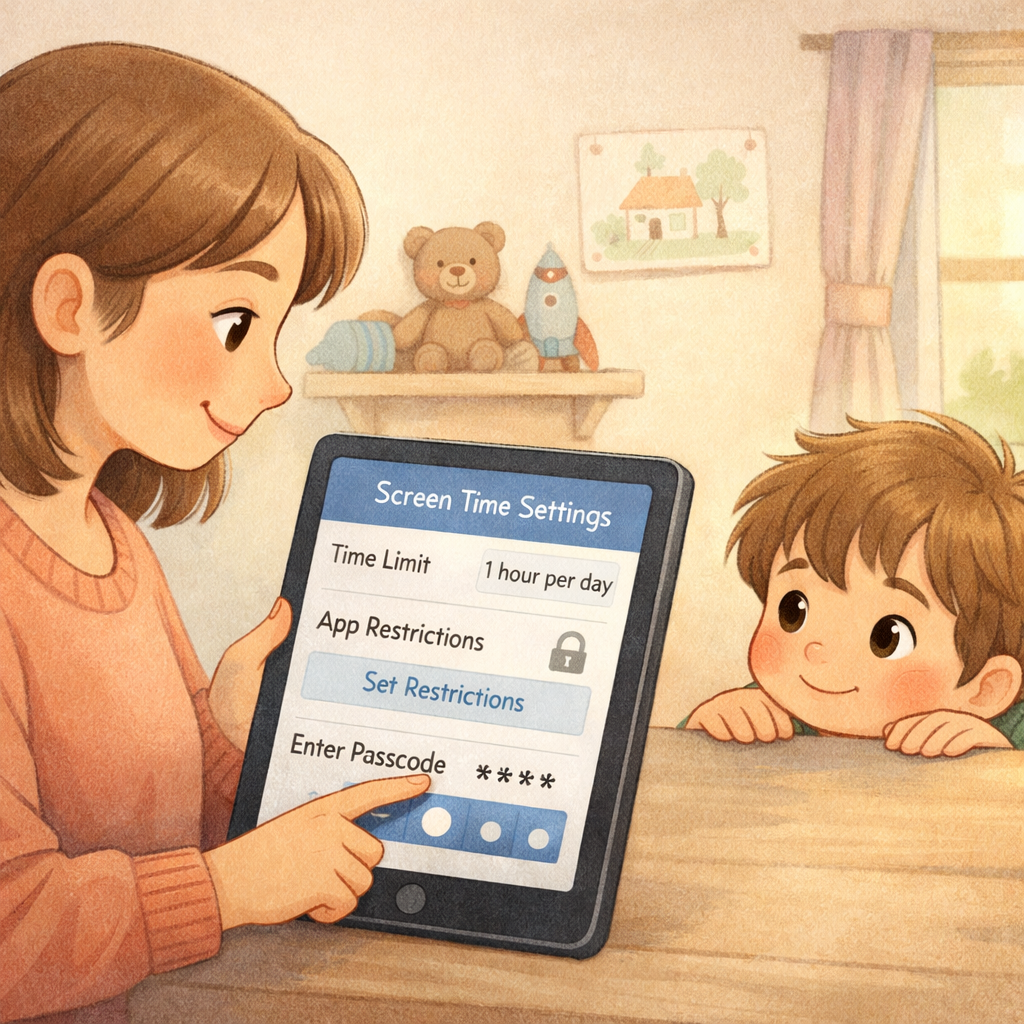
In today's digital world, managing technology use can feel like a constant battle. Thankfully, parental controls offer a practical way to set firm boundaries around screen time use. These tools allow you to set time limits, schedule downtime, and filter content, taking some of the pressure off you to constantly monitor their digital media consumption.
Using these apps can help you enforce the screen-free bedtime routine you’ve established. Instead of arguing, the device simply becomes unavailable at the designated time. Below, we'll explore some popular options and how to configure them effectively.
Popular Parental Control Solutions in Australia
While our information focuses on general principles, parents in Australia and elsewhere have access to a wide range of parental control tools. These apps are designed to help you manage your child's screen use in line with expert recommendations, such as those that align with Australian standards for healthy media habits. Organizations like Common Sense Media often provide reviews and ratings of these apps.
These tools empower you to set specific time limits and schedule when devices can and cannot be used. This is especially useful for enforcing a digital curfew in the evening, ensuring that tablets are shut down well before bedtime without a daily power struggle.
Here are the types of features to look for in parental control solutions:
- Time Limits: Set daily allowances for total screen use.
- Schedules: Block access to the device during specific times, such as after 8 p.m. or during homework hours.
- Content Filtering: Block inappropriate apps, websites, and content.
Setting Time Limits and Scheduled Device Shutdown
One of the most effective features of parental control apps is the ability to set automatic time limits and scheduled device shutdowns. This automates the process of ending electronic media use for the day, which helps protect your child's designated sleep time.
Many devices have built-in features, like Apple's Screen Time or Google's Family Link, that allow you to schedule "Downtime." During this period, only apps you specifically allow (like a calling app for emergencies) are available. This is a great way to ensure the tablet is unusable for games or videos after a certain hour. While "night mode" settings can reduce blue light, a full device shutdown is more effective for promoting sleep.
To implement this strategy:
- Explore the built-in parental controls on your child's tablet first.
- Set a daily schedule that automatically locks the device at least one hour before bedtime.
- Communicate the schedule to your child so they know when to expect the device to shut down.
Blocking Games While Allowing Homework Access
Kids often need tablets for homework but get distracted by games and social media. Modern parental control apps let you block entertainment apps while keeping educational tools accessible.
These features encourage better screen habits, teaching kids to use devices for learning instead of just fun. You can set up a "homework mode," allowing only approved educational apps during scheduled periods to reduce distractions and make screen time productive.
By managing media use, you support your child’s academics without affecting their sleep. This targeted approach is more effective than a blanket ban, recognizing technology's role in education while maintaining healthy boundaries.
Tip 3: Communicating Clearly with Kids About Screen Time
Enforcing rules about technology use is much easier when your kids understand the reasons behind them. Open communication about screen time, especially in the middle of the night, is crucial for building cooperation and fostering healthy screen media habits. Explain how too much screen time, especially at night, can affect their sleep, mood, and mental health.
When children feel like they are part of the conversation, they are more likely to buy into the family rules. This approach helps them develop self-regulation skills that will benefit them for years to come. Let's explore how to have these conversations and get the whole family on board.
Talking to Your Child About Healthy Technology Habits
Starting conversations about healthy tech habits helps manage screen time proactively. Instead of just setting rules, explain to your child how screen light can disrupt their sleep and prevent a good night’s sleep by making their brain think it’s still daytime.
Emphasize that good sleep is important for energy, school performance, and happiness. Focus on sleep health rather than punishment—ask if they’ve ever felt tired or irritable after staying up late on their tablet.
This educational approach encourages kids to make better choices regarding their body mass index. When they understand how too much screen time affects their bodies and minds, they're more likely to adopt healthier routines. Calm, consistent discussions work better than arguments.
Encouraging Family Involvement and Consistency
Consistency is key to successful family rules. For new screen habits to stick, everyone should follow the same guidelines. Creating a family media plan helps ensure fairness and keeps everyone aligned.
When parents model healthy screen use—like putting phones away at dinner or before bed—kids are more likely to do the same, especially when approaching high school. This shared approach makes good habits a family value and supports better sleep for all.
Tips for family involvement:
- Hold a family meeting: Create your media plan together.
- Lead by example: Put away your devices during screen-free times.
- Be consistent: Enforce rules daily, including weekends, so they become routine.
Reward Systems and Positive Reinforcement
While rules are important, positive reinforcement can be a powerful motivator for changing screen media habits. A reward system can make the transition to less evening screen time more fun and less of a struggle. This approach focuses on praising good choices rather than punishing slip-ups.
Instead of focusing on the negative (taking the tablet away), celebrate the positive. When your child follows the evening routine without complaining, acknowledge their effort. This helps build their intrinsic motivation to maintain good sleep habits for a good night's sleep.
Consider these positive reinforcement ideas:
- Sticker Chart: For younger children, a sticker for each night they stick to the bedtime routine can lead to a special weekend activity.
- Extra Privileges: Older kids might earn extra free time on the weekend or the chance to choose the family movie night film.
- Verbal Praise: A simple "I'm so proud of you for putting your tablet away on time" can go a long way.
Tip 4: Offering Alternatives to Tablet Use Before Bedtime
Simply taking away the tablet isn't enough; you need to offer appealing alternatives to fill that pre-bedtime void. Replacing screen time with enjoyable, calming activities can help redirect your child's focus and prevent boredom or complaints. This strategy is key to shifting their sleep patterns in a positive direction.
These alternatives should be relaxing and promote a sense of calm, helping your child's body and mind prepare for sleep. By making activities like brush teeth a regular part of the evening, you can cultivate healthy sleep habits that last. Let's look at some fun, non-screen ideas.
Fun Non-Screen Activities for Nighttime Relaxation
Finding the right non-screen activities is all about knowing what your child enjoys. The goal is relaxation, so choose things that are low-energy but still engaging. These activities will become a cherished part of their evening ritual, helping to improve their sleep habits and overall sleep quality.
Think of this time as a special opportunity to connect with your child away from digital distractions. The calm and focus required for these activities can be a welcome contrast to the fast-paced stimulation of a tablet, paving the way for better sleep.
Here are some fun ideas to try:
- Listen to an audiobook or podcast: This offers the engagement of a story without the stimulating screen light.
- Build with LEGOs or blocks: This is a quiet, creative activity that can be very meditative.
- Do a simple craft: Activities like making friendship bracelets or painting can be very relaxing.
Family-Friendly Wind Down Routines
Creating a family-friendly wind-down routine can make evenings more peaceful for everyone. When the whole family participates in calming activities together, it reinforces good sleep habits and strengthens family bonds. This shared experience makes the bedtime routine something to look forward to as part of your daily routine.
A predictable family routine helps regulate everyone's internal clocks, making sleep onset easier and more natural. It's about creating a calm, connected atmosphere that signals the end of the day and prepares everyone for a good night's sleep.
Consider incorporating these ideas into your family routine:
- Family Story Time: Take turns reading chapters from a book aloud each night.
- Stretching or Gentle Yoga: A few simple stretches can help release physical tension from the day.
- Shared Journaling: Spend a few minutes writing or drawing about the day together in a shared notebook.
Creating a Bedtime Environment That Supports Sleep
The physical bedtime environment plays a huge role in sleep quality. A room that is optimized for sleep can make a significant difference in how easily your child falls asleep and stays asleep. This is a fundamental aspect of good sleep hygiene.
The main goal is to create a space that is dark, quiet, and cool, which supports natural melatonin production and helps maintain your circadian rhythm. Reducing light exposure is particularly important, as even small amounts of light can disrupt sleep. This is another key reason why tablets and other screens should be kept out of the bedroom.
To optimize the sleep environment:
- Use blackout curtains: Block out all external light to make the room as dark as possible.
- Keep it cool: A cooler room temperature (around 65-70 degrees Fahrenheit) is ideal for sleep.
- Minimize noise: Consider a white noise machine if outside sounds are a problem.
Tip 5: Enforcing Tablet-Free Times in the Evening
Once you've established rules, consistent enforcement is what makes them work. Enforcing tablet-free times in the evening is critical for resetting your child's sleep patterns. This means sticking to your family media plan every single night, even when it's challenging.
Reducing evening light exposure from screens is non-negotiable for healthy sleep, especially to prevent melatonin suppression. By being firm and consistent, you are showing your child that you are serious about prioritizing their well-being. Let's discuss some practical strategies for making enforcement easier and handling potential conflicts.
Setting Household Rules for Evening Tablet Use
Clear household rules for evening screen use form the basis of effective enforcement. These rules should be simple, specific, and understood by everyone. Posting them in a visible spot helps remind both kids and parents.
Good rules support sleep hygiene and ensure your child gets enough rest. For example: "All screens off and in the charging station one hour before bed."
The aim is to create a predictable routine for better sleep. When expectations are clear, there’s less room for negotiation or conflict. Consistent enforcement turns these rules into a normal part of family life.
Practical Strategies Parents Use to Limit Screens
Parents use a variety of practical strategies to enforce their family media plan and improve their children's screen habits. These tactics go beyond just setting rules; they are about making the rules easy to follow and difficult to break.
The most successful strategies involve a combination of clear communication, environmental changes, and the use of technology itself. By being proactive, you can prevent many of the common struggles associated with limiting screen use and help your child adjust their sleep patterns for the better.
Here are some tried-and-true strategies:
- Use a timer: Set a timer to signal when screen time is over. The impersonal sound of an alarm can be more effective than a parent's voice.
- Change the Wi-Fi password: Some parents change the Wi-Fi password in the evening to cut off internet access on all devices.
- Establish "screen-free" days: Designate one or two days a week where no screens are used at all to give everyone a digital detox.
Dealing With Sibling Disputes Over Devices
Sibling arguments over devices can disrupt your media management plans. Fair and consistent rules are key to handling these conflicts. If one child thinks the rules are unfair or their sibling gets more screen time, it can cause resentment.
To avoid this, apply screen time rules equally to all children, with age-appropriate adjustments. For example, older kids might get a later "screens off" time, but no screens in bedrooms should be a rule for everyone.
When disagreements happen, refer to your written family media plan. Clear rules help keep the conflict impersonal—it's about following the family plan for healthy screen use and better sleep, not about being strict.
Conclusion
In conclusion, managing your child’s screen time and tablet time at night is essential for fostering healthy habits that promote better sleep and overall well-being. By establishing a consistent evening routine, implementing parental controls, and communicating openly with your kids about screen time, you can create a balanced approach to technology use. Offering alternatives and enforcing tablet-free times will not only enhance your child's sleep quality but also strengthen family bonds.
Remember, the goal is to encourage mindful engagement with technology while ensuring restful nights. If you need further assistance or tips, feel free to reach out for a consultation or call daar at 02 9133 2500!
Frequently Asked Questions
Which apps automatically turn off tablets at night?
Many devices have built-in parental controls that can schedule a device shutdown. Apple’s “Screen Time” and Google’s “Family Link” allow you to set a “Downtime” schedule that automatically blocks apps at night. These tools are more effective for sleep hygiene than just using night mode, as they restrict screen time use completely.
How can I manage tablet time if my child needs it for homework?
Use parental controls to create a "homework mode." These settings allow you to block distracting media use, like games and social media apps, while keeping educational websites and tools accessible. This helps manage screen habits by setting clear time limits and ensuring the tablet is used productively for homework.
What is the recommended maximum tablet time for kids in the evening?
According to the American Academy of Pediatrics and other sleep experts, all screen use on an electronic device should stop at least 30 to 60 minutes before bedtime. There isn't a set maximum for evening tablet time, but for good sleep hygiene, it's best to minimize how much screen time your child has before bed.
.svg)




.svg)