
.png?width=48&height=48&name=Group%201%20(3).png)























10 April, 2026

Top Alternatives: Apps Like Root for Screen Addiction
Key Highlights
- Struggling with screen addiction? Numerous apps like Root can help you manage your screen time effectively.
- These apps offer features like setting time limits for specific apps, especially distracting social media platforms.
- You can schedule downtime to block apps during work, school, or before bed.
- Many alternatives provide detailed reports on your screen usage to help you understand your digital habits.
- Some of these tools include parental control functions to help manage a child's device usage.
- The goal is to break the cycle of mindless scrolling and build a healthier relationship with your phone.
Introduction
Do you find yourself losing hours to mindless scrolling? You're not alone. In today's digital world, phone addiction is a real struggle for many. It feels like our devices are designed to keep us hooked, making it tough to reclaim our time. The good news is that you can fight back. A powerful screen time app can help you set boundaries, reduce distractions, and build healthier digital habits. If you're looking for a way to manage your screen time better, you've come to the right place.
Leading Apps Like Root for Screen Addiction Control
The Root app is popular for curbing screen addiction, but it's not the only option. Many other apps offer similar—or even more tailored—features for managing screen time. These alternatives let you set limits on time-consuming apps, track usage, and provide detailed analytics.
Whether you want a free or premium solution, there are apps to fit your needs. Let’s explore some top alternatives to Root that can help you achieve digital wellness.
1. Opal – Focus and Screen Time Management
Opal is a leading screen time app that helps you reclaim focus and manage phone use. It lets you create "Focus Sessions" to block distracting apps and websites, reducing temptations from notifications and endless scrolling.
Like Root, Opal limits access to time-wasting apps and encourages more intentional phone use. You can schedule recurring sessions, making it great for building consistent digital habits.
Opal also tracks your usage, providing insights to help you make positive changes. While Root is iPhone-only, Opal and similar apps often support both iPhone and Android, reaching a wider audience.
2. Forest – Stay Motivated to Reduce Screen Time
If you need motivation to reduce screen time, Forest offers a unique, gamified approach. Instead of just blocking apps, Forest lets you plant a virtual tree when you want to focus—the tree grows as long as you stay off your phone but withers if you leave the app.
This simple concept creates real consequences for losing focus and makes it easier to resist distractions. Over time, you’ll grow a virtual forest representing all your focused moments—a visual reward that’s more engaging than a basic score.
Available on the App Store and Google Play, Forest is a creative tool for building self-control. When choosing apps like Root, look for gamification features like Forest’s to make breaking screen habits more enjoyable and motivating.
3. Freedom – Block Distractions Across All Devices
Freedom excels at blocking distractions across all your devices at once. If your phone addiction spills over to your laptop or tablet, this app is a game-changer. With one click, you can start a focused session that syncs across Android, iOS, computers, and tablets—blocking distracting websites and apps everywhere.
Its best feature is comprehensive cross-platform support. You can create custom blocklists for time-wasting sites like social media or shopping platforms and schedule recurring blocking sessions to match your work or study hours, helping you maintain a consistent, distraction-free routine.
By creating an interruption-free environment, Freedom helps you break the cycle of reactive browsing and focus on what matters. It’s ideal for anyone serious about eliminating digital distractions on any device.
4. Jomo – Build Healthier Digital Habits
Jomo, short for "Joy of Missing Out," helps you build healthier digital habits by encouraging happiness away from your phone. It lets you create templates like "Work," "Study," or "Evening Wind Down" for quick, customized blocking sessions.
A standout feature is its ability to replace app icons with a calming, uniform look during downtime, reducing the urge to open distracting apps. Jomo also provides detailed screen usage insights so you can set effective limits.
Users of apps like Root and Jomo often see reduced screen time and increased productivity. They value how these tools turn mindless scrolling into intentional use.
5. StayFree – Detailed Screen Usage Analytics
For data enthusiasts, StayFree offers detailed screen usage analytics to help you understand your phone habits. This Android app provides comprehensive reports on how much time you spend on each app, the number of opens, and your usage history over days, weeks, and months. This level of detail helps you spot your biggest digital triggers.
While apps like Root limit screen time, StayFree shows exactly why those limits are needed. Seeing hard numbers—like opening a social media app 100 times a day—can be a powerful wake-up call, helping you set realistic goals for reducing usage.
Beyond analytics, StayFree lets you set app-specific limits, receive warnings as you approach them, and block apps once you've reached your daily allowance. It's an all-in-one tool for anyone who wants a data-driven approach to managing screen time.
6. ScreenZen – Customizable App Blocking
ScreenZen creates a pause before you open distracting apps, prompting you to reflect on your choice. This simple delay helps break habitual tapping and reduces impulsive phone use. Users appreciate its effectiveness and ease of use.
You can customize app limits or set schedules for blocking apps—such as during work hours or evenings. Removing distracting apps from your home screen and adding this extra step makes your screen time more intentional.
While ScreenZen is mainly for personal use, its approach can benefit families. For stronger parental controls like location tracking and content filtering, dedicated apps are available.
7. Minimalist Phone – Simplify Your Smartphone Experience
If your smartphone feels cluttered, Minimalist Phone simplifies your experience with a clean, text-based home screen that removes distracting colors and icons. This reduces visual triggers and helps you use your device more intentionally.
The app lets you set screen time limits and daily restrictions on overused apps. In-app reminders keep you aware of usage, preventing endless scrolling.
Minimalist Phone stands out as an effective tool for reducing screen addiction by redesigning the interface to be less stimulating. This helps break the dopamine-driven habit loop, letting you focus on what matters most.
Key Features to Look for in Apps Like Root
When searching for the perfect screen time app on the App Store or Google Play, it's important to know which key features will make the biggest impact. The most effective apps go beyond simple timers. You should look for customizable app limits, allowing you to set specific time limits for your most-used applications.
Additionally, robust scheduling options, detailed usage reports, and cross-platform support are crucial for a comprehensive solution. These features work together to help you understand your habits and build a healthier relationship with your devices. Let's explore some of these must-have features in more detail.
Cross-Platform Support (Android & iOS)
In today’s multi-device world, cross-platform support is essential for any screen time app. Since phone habits often extend to tablets or computers, single-device apps leave gaps. The best solutions sync settings and blocklists across all your devices—Android, iPhone, laptops—eliminating easy workarounds. For example, Freedom blocks distractions everywhere you log in.
When choosing an app from the App Store or Google Play, check its compatibility across platforms. True digital wellness requires this seamless integration, helping you stay focused and committed to your goals.
Screen Time Tracking & Reports
You can’t change what you don’t measure. That’s why screen time tracking and detailed reports are essential for any app tackling phone addiction. By giving you a clear, data-driven view of your digital habits, apps like Root make you aware of where your time goes.
Choose apps that provide comprehensive breakdowns of your total screen time by individual app, showing how often and how long you use each one—daily, weekly, and monthly. This helps you spot patterns and identify your biggest time-wasters.
With this insight, you can set realistic limits and track your progress over time. These reports keep you motivated to stick with healthier habits and improve your relationship with technology.
App Blocking and Scheduling Options
App blocking and scheduling are the action-oriented features that empower you to enforce your digital boundaries. While tracking tells you what the problem is, blocking and scheduling give you the tools to fix it. A good screen time app should offer flexible options to restrict access to a specific app or category of apps.
The ability to schedule these screen time restrictions is particularly powerful. It allows you to be proactive rather than reactive. For example, you can set rules to automatically block certain apps during specific times of the day.
- During work or school hours: Block social media and entertainment apps to maintain focus.
- In the evening: Schedule downtime to help you wind down without the stimulation of your phone.
- During family time: Block all non-essential apps to be more present with your loved ones.
These scheduling features help you build a routine where your phone serves you, not the other way around. Look for these options when choosing an app to break your screen addiction.
Parental Control Functions
For parents, managing a child's digital life is a top priority. Many screen time apps include parental control functions to help you protect your kids and teach them healthy habits. A good parental control app goes beyond the features an individual might need, offering tools for monitoring and setting boundaries remotely.
These apps allow you to set screen time limits on your child's device, block inappropriate content, and approve or deny app downloads. Advanced time controls let you create schedules to ensure devices are put away during school hours, homework time, and at bedtime.
Some key parental control features to look for include:
- Content Filtering: Block access to adult websites and inappropriate material.
- App Management: Set limits on specific apps or block them entirely.
- Location Tracking: Keep track of your child's whereabouts for peace of mind.
Apps like Qustodio and Norton Family are excellent examples of dedicated parental control apps that provide these comprehensive features, helping you guide your children in the digital world.
Privacy and Data Security Considerations
Using a screen time app gives it significant access to your device and data, so understanding privacy and security risks is essential. These apps often require permissions to monitor usage, change settings, or use a VPN to filter content—making trust in the developer important.
Before downloading, review the app’s privacy policy to see what data is collected, how it’s used, and if it’s shared with third parties. Apps that keep all data on your device are generally safer. For example, the Root app uses Apple’s Screen Time API to store data locally.
Key privacy concerns include:
- Data Collection: What information does the app track?
- Data Sharing: Is your data sold or shared with advertisers?
- Security: How is your data protected from breaches?
Choose reputable apps with clear privacy practices to help keep your data safe.
Comparing Apps Like Root With Built-In Screen Time Controls
Most smartphones now include built-in screen time controls, like Apple’s Screen Time and Google’s Digital Wellbeing. While these native tools are easy to use, they lack the advanced features and strict blocking of third-party apps such as Root. Built-in controls are also easier to bypass, making them less effective for users who need strong limits.
Third-party apps typically offer more customization, tougher enforcement, and cross-platform support. Here’s a quick comparison:
|
Feature |
Third-Party Apps (e.g., Root, Freedom) |
Built-In Controls (Apple/Google) |
|---|---|---|
|
Customization |
Advanced app limits, schedules, and blocklists |
Basic app limits and downtime settings |
|
Enforcement |
Difficult to bypass; some offer “monk mode” |
Can often be bypassed in system settings |
|
Cross-Platform |
Syncs across iOS, Android, and desktop |
Limited to device ecosystem |
|
Analytics |
Detailed usage reports |
Basic usage stats |
Advantages Over Native Solutions
While Apple and Google’s native solutions are convenient, third-party apps offer a more robust experience. Apps like Freedom or Opal provide greater customization, letting you set detailed rules tailored to your habits.
These apps also enforce limits more strictly. Unlike built-in controls that are easy to bypass, third-party options may use locked modes or require extra steps to override blocks, making cheating harder.
Additionally, many third-party apps support cross-platform syncing—something native tools lack—so your blocking rules work across all your devices. Even with a paid plan, the advanced features often justify the investment over free built-in options.
Limitations of Built-In Controls
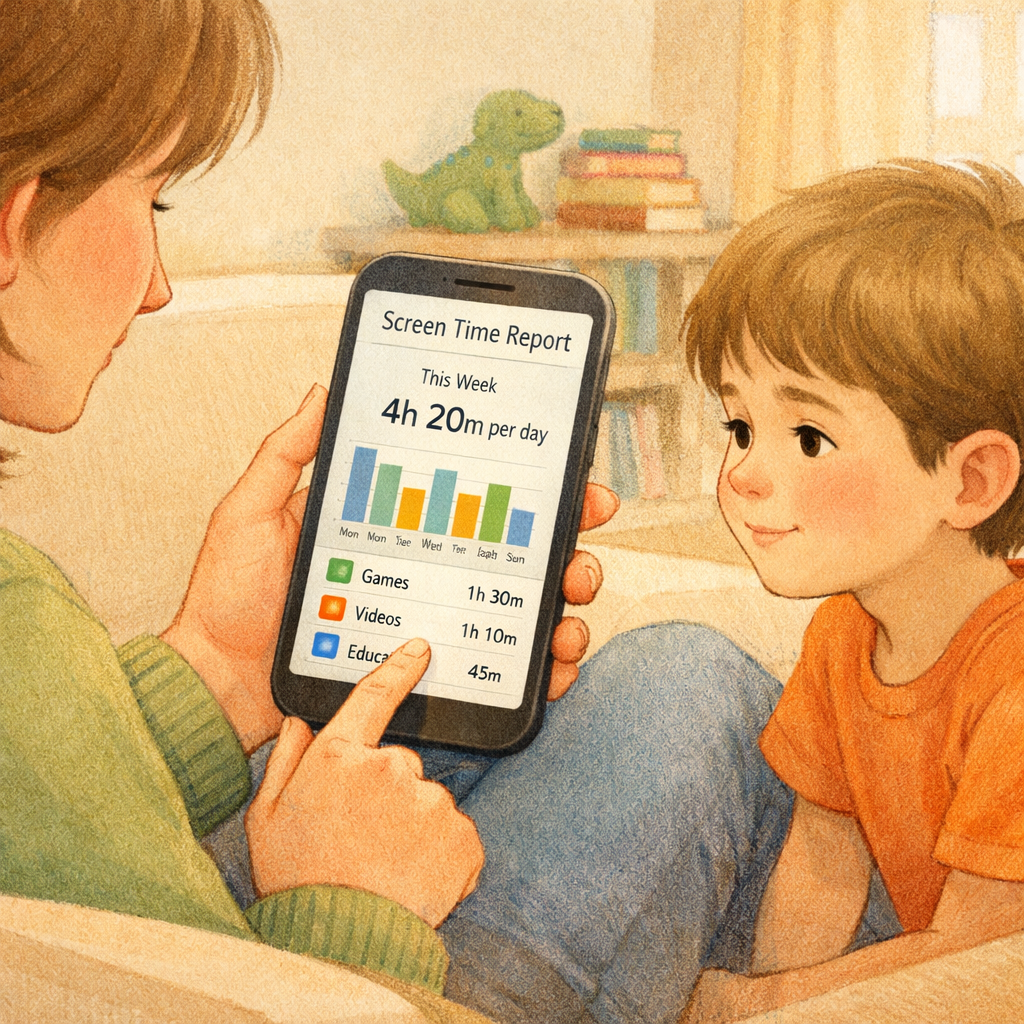
Built-in phone controls, though well-intentioned, have several limitations. They’re easily bypassed with a passcode or by tapping “ignore limit,” making screen time restrictions ineffective in moments of weakness.
Native tools also lack advanced features like cross-platform syncing, detailed analytics, and gamified motivation. Their basic app limits and downtime scheduling fall short for users seeking more robust options.
Finally, built-in controls are restricted to their own ecosystems—Apple’s Screen Time doesn’t work on Windows PCs, and Google’s Digital Wellbeing won’t sync with iPads. This makes it easy to switch devices and avoid boundaries. For comprehensive control, third-party apps are often necessary.
Conclusion
In conclusion, finding effective alternatives to apps like Root can significantly enhance your journey towards reducing screen addiction. With options like Opal, Forest, and Freedom, you have the tools at your fingertips to manage screen time effectively and cultivate healthier digital habits. By considering essential features such as cross-platform support and detailed analytics, you can choose the app that best suits your needs. Remember, the goal is not just to cut down on screen time, but to create a balanced approach to technology use that enhances your well-being. If you're ready to take control of your digital habits, explore these alternatives today!
Book a consultation or call daar at 02 9133 2500 for expert guidance.
Frequently Asked Questions
Are there free apps like Root for managing screen addiction?
Yes, there are several free apps available that help with screen addiction. Apps like ScreenZen offer core features at no cost, and many premium options like Qustodio provide a limited free version or a free trial. You can find various options on the App Store and Google Play to start managing your screen time without a financial commitment.
Do apps similar to Root require root access on Android?
No, most screen time management apps do not require root access on an Android device. The term "root" in the Root app's name is a branding choice and is unrelated to rooting your phone. These apps work by using accessibility services and system APIs, not by modifying core system files like tools such as Magisk Manager.
Can these apps help parents manage children’s screen time?
Absolutely. Many of these apps are designed with parents in mind. A dedicated parental control app like Qustodio or Norton Family lets you set screen time limits, block apps, filter content, and even monitor phone calls. These tools are invaluable for helping you guide your children toward healthier screen time habits.
What are some apps to reduce phone addiction?
Several apps like Root can help reduce phone addiction by promoting healthier usage habits. Notable options include Moment, which tracks screen time, and Forest, which encourages focus through gamification. Additionally, Stay Focused limits app usage, while Offtime helps you disconnect from distractions effectively.
.svg)




.svg)